How to Update Practice Location(s)
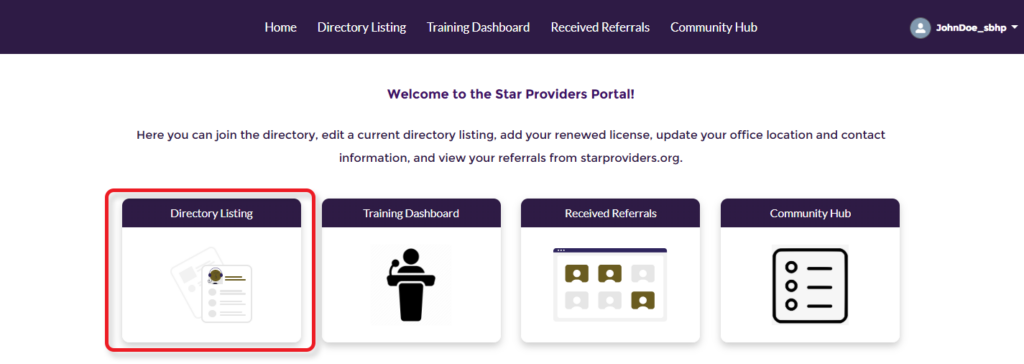
To begin, log in to the Provider Portal. From the Portal welcome page, select “Directory Listing.”
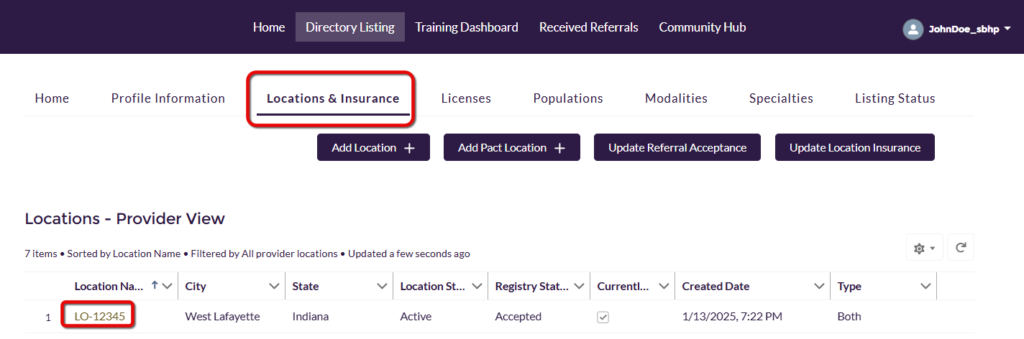
Click on the “Locations & Insurance” tab along the top menu, then click on the Location Name for the location you wish to update
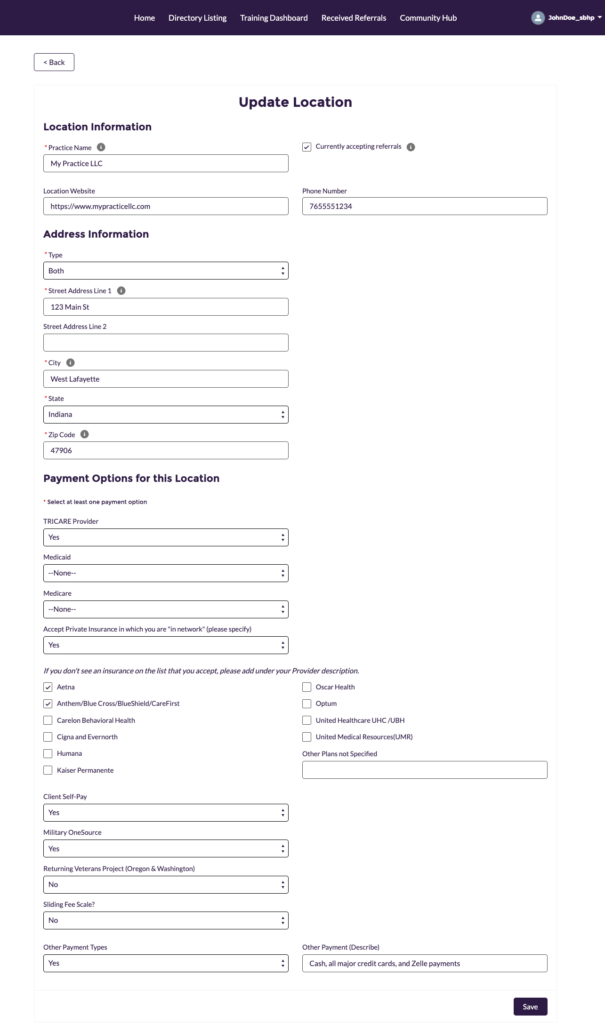
You can now make changes to everything from your practice name and address, to website, current status and payment options. Click on “Save” when done.