
How to Toggle Accepting/Not Accepting New Clients
To provide the most updated information to service members, veterans and their families looking for care, we’re asking you to indicate on your directory listing on an ongoing basis whether you’re currently accepting referrals at your location(s).
Using the steps below, providers may temporarily update their listing to “Not accepting referrals” for up to three months. Provider locations who remain unavailable for more than three months will be removed from the Directory to ensure our listings stay current and accessible.
Getting Started
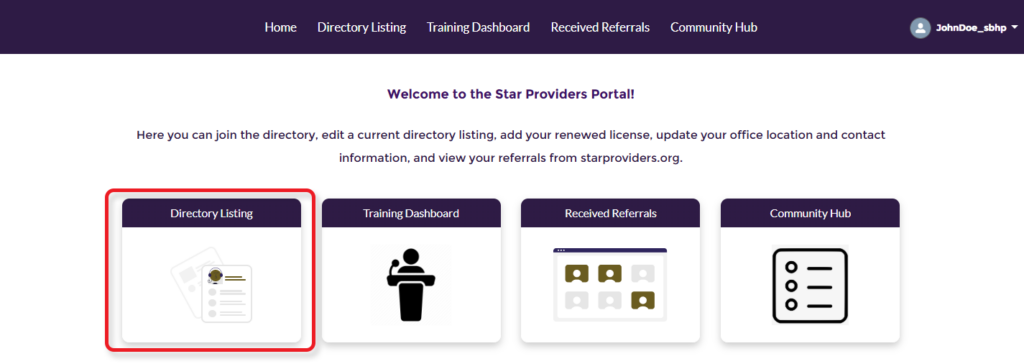
To begin, log in to the Provider Portal. From the Portal welcome page, select “Directory Listing.”
Update One Location at a Time
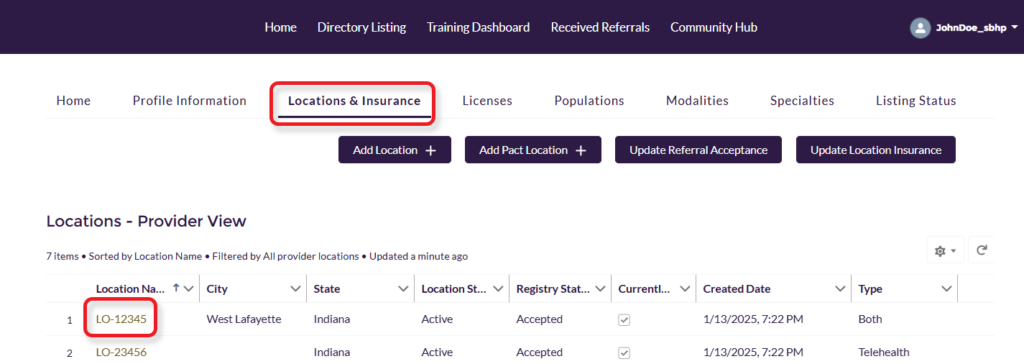
Select Locations & Insurance and click on the Location Name for your location.
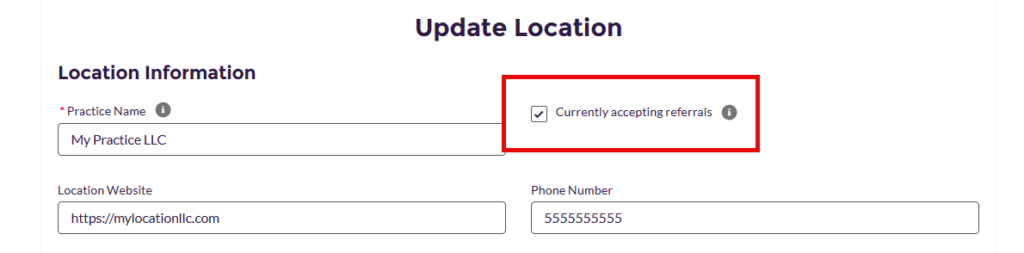
The “Currently Accepting Referrals” box is automatically checked by default. If you are temporarily unable to accept referrals, uncheck the box and then click “Save”.
Update Multiple Locations at Once
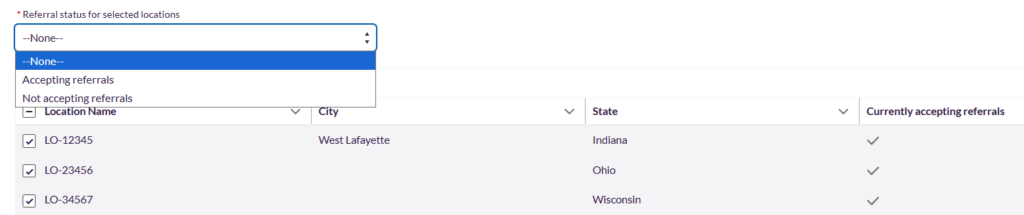
If you have multiple locations and want to update their referral acceptance status at the same time, click the “Update Referral Acceptance” button on the Location & Insurance screen.

From the drop-down menu, select the status you want to apply. Then, check the boxes next to the locations you would like to update and click “Update”
As your capacity changes over time, please remember to log back in to change this status to reflect your current situation. You can change as often as needed.
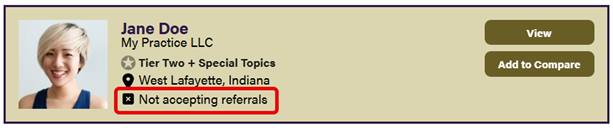
Website Listing View
When you indicate you’re not currently accepting new clients, your directory listing will still be active, but it will reflect that you are not accepting new clients, ensuring clear communication for those seeking behavioral health services.